


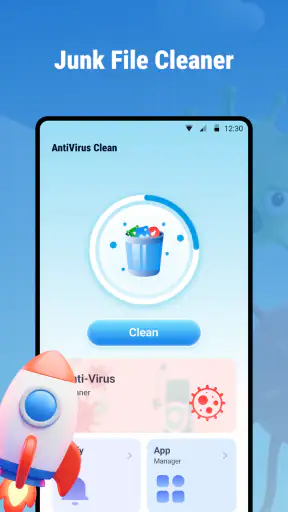
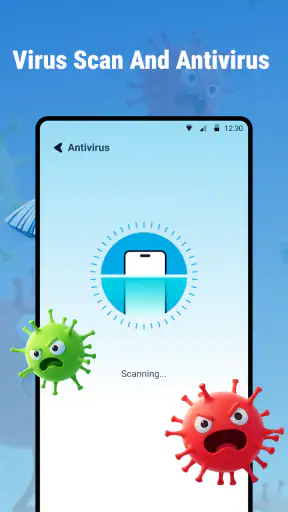
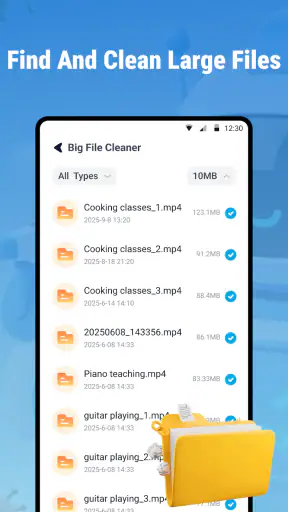
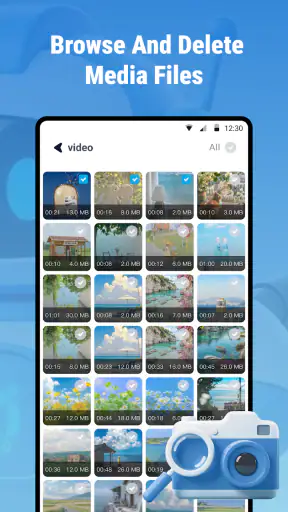
I approached Antivrus Clean: Virus & Junk as a practical phone-maintenance tool rather than a replacement for every security measure on a mobile device. It is a free Android app from Eduspot, placed in the Tools category, with a straightforward promise: help users deal with possible mobile threats and unwanted files. That sounds simple, but the real question is whether the experience feels clear and manageable for people with different abilities, devices, habits, and levels of technical confidence.
My overall impression is mixed but useful. The app can appeal to someone who wants a single place to begin checking a phone, especially if unfamiliar files or accumulated clutter are causing concern. At the same time, I would not treat it as a complete security strategy or assume that a cleaner button automatically makes a phone safer. The strongest part of the experience is its approachable purpose; the weakest part is the need for users to make careful decisions when a tool suggests removing something.
How clearly the app presents its main tasks
The first thing I look for in a utility like this is whether I can understand what to do without studying technical language. A mobile antivirus and cleaner app should make its central actions obvious, because people often open it when they are already worried about a slow phone, suspicious behavior, or a lack of storage. The product’s name and store positioning make that basic purpose easy to grasp: it is intended to address viruses and junk rather than serve as a general file manager, backup tool, or device-customization package.
That focus is helpful for users who prefer a narrow workflow. Instead of beginning with a long list of unrelated phone-management tools, I would expect the experience to be approached in stages: inspect the device, review what the app identifies, and then decide what action is appropriate. That sequence matters for readability because it gives users a chance to pause before making a change. For anyone who has difficulty processing dense screens, a clear separation between scanning and cleaning is much easier to follow than a dashboard filled with competing controls.
I also think the wording deserves attention. The short store description is written as “Antivrus Clean,” which is notably brief and contains a spelling error. That does not determine the quality of the installed app, but it can make the product feel less polished before a user even opens it. People who rely on concise labels, translation tools, or quick visual recognition may find unclear wording more difficult to interpret. In a security-related app, language should be especially precise: a warning, a recommendation, and a confirmed threat are not the same thing.
For a reader deciding whether to try it, my practical advice is to treat every result as something to review rather than an instruction to obey instantly. Read the item names, check whether the suggested cleanup concerns a file you recognize, and avoid rushing through prompts simply because the interface uses urgent-looking language. This is one of the most important habits with any cleaner, but it is particularly relevant here because the app combines security and storage maintenance in one identity.
The app is free, which lowers the barrier to testing it. It has an Everyone content rating, and its minimum requirement is Android 8.0, so it is aimed at a broad range of Android users rather than only people with the newest phones. Its current version is 1.0.0.7, and it was released on September 5, 2025. Those details suggest a relatively recent tool, but they also make it sensible to approach the app as something to evaluate carefully over time rather than as a mature, universally proven replacement for established security products.
Navigation for people who need calm, predictable steps
Good navigation is not only about attractive design. It is about reducing memory load. A user should not have to remember which screen contained a warning, whether a scan has finished, or what a particular button will remove. When using Antivrus Clean, I would favor a slow, repeatable routine: open the app, start one task, wait for the result, inspect the explanation, and only then choose a cleanup action. That workflow is easier for users with attention difficulties and also helps anyone using the app while tired or distracted.
A useful personal technique is to take a screenshot of an important result before acting on it. That creates a simple reference if the wording is confusing or if you want to ask someone else for advice. It is also safer than assuming that a large “clean” action is reversible. I would not delete unfamiliar downloads, documents, or media merely because they are categorized as unwanted. The benefit of freeing space is not worth losing a file that matters.
The app’s audience size gives some context: it has passed five million installs and holds an average rating of 3.7 from around 5.9 thousand ratings. I read that as evidence of meaningful interest, not as proof that it will suit every phone or every user. The review count is around 173, so I would still place more weight on my own device behavior and on the clarity of each result than on the score alone.
Motor, visual, hearing, and sensory considerations
Tools that ask users to scan, select, confirm, and clean can create more physical effort than their simple descriptions suggest. Someone with limited dexterity may find repeated taps, small controls, or closely spaced choices tiring. Someone with tremors may accidentally select an item while trying to scroll through a list. Because cleanup can have consequences, I would use the app with the phone’s own system settings adjusted for easier interaction, such as larger text or display scaling where available, rather than relying on the app alone to solve every readability issue.
Large, clearly separated controls are valuable here, but size by itself is not enough. A button should also explain what it will do. “Remove selected files” is more informative than a vague command that could be interpreted as a full device cleanup. Users with cognitive disabilities benefit from explicit consequences, while users with low vision benefit when labels remain understandable after magnification. If a screen becomes crowded after increasing system text size, that can introduce a new problem: words may wrap, controls may move, or important warnings may become harder to locate.
Color is another area where I would remain cautious. Security apps often use red, green, and yellow to communicate danger or safety, but color should not be the only signal. A person with color-vision differences needs text, icons, or clear status wording to understand whether the app has found a potential issue. I would look for a written explanation beside any colored indicator and would avoid assuming that a green screen means the device is protected against every possible threat.
Hearing-related access is less central to a scan-and-clean workflow than visual access, but alerts still matter. If the app uses sounds or vibration, those should be supplementary rather than essential. A user should be able to understand the result by reading the screen. This is also useful in quiet places, workplaces, classrooms, and shared homes where audible alerts may be inappropriate.
For users who experience sensory overload, the best approach is to run the app in a controlled setting instead of opening it during a stressful moment. Close unrelated apps, reduce distractions, and deal with one result at a time. A cleaner can feel reassuring when the task is limited, but a long list of files or warnings can become overwhelming if the app does not explain which items deserve immediate attention.
Small habits that make the experience safer
I would use three habits with this particular type of tool. First, scan before cleaning. That preserves the distinction between finding a possible issue and deleting material. Second, review categories individually instead of selecting everything by reflex. Temporary files, downloads, photos, and application data do not have the same value to the user. Third, keep a mental note of how the phone behaves before and after a cleanup. If an app, document, or setting stops working, you can more easily connect the change to the action you just took.
These habits are especially helpful for people who use assistive technology or customized phone layouts. A file used by a screen reader, an offline map, a communication app, or a personal routine may not look important to a generic cleaner. The safest user is not the one who removes the most; it is the one who understands what is being removed.
Access during real-life situations
Accessibility is also situational. A person may have no difficulty using a utility at home but struggle when standing on public transport, wearing gloves, dealing with glare, or trying to fix a phone during travel. In those moments, a short and predictable workflow is more valuable than a long list of advanced controls. I can see Antivrus Clean being useful when someone notices that a phone has become cluttered before a trip, or when a family member wants help starting a basic check without learning a complex security suite.
Consider an everyday example: I am preparing to record a long event and receive a low-storage warning. I open a cleaner, review what it considers unnecessary, and discover that some suggested items are actually files I want to keep. The useful outcome is not pressing the fastest button. It is identifying safe-to-remove material while leaving personal content untouched. In that situation, the app may provide a convenient starting point, but the user’s judgment remains the essential safeguard.
The same applies when a phone seems suspicious after installing an unfamiliar file. A security-oriented tool can give the user a structured place to begin, which is less intimidating than searching through many system menus. However, I would not use a scan as permission to continue unsafe behavior. I would also review recently installed apps through Android’s own settings and consider changing passwords from a separate trusted device if there is a serious account-security concern. The app can be part of a response, not the entire response.
For older adults or relatives who are not confident with Android maintenance, the free price and simple purpose are appealing. I would still recommend setting up a shared explanation in advance: what “junk” means, why a result may need review, and which kinds of personal files should never be removed without checking. This turns the app from a mysterious repair button into a guided decision-making tool.
People using older hardware may also appreciate that the app supports Android 8.0 and later, because they are not automatically excluded by a requirement for a very recent operating system. Still, compatibility is not identical to comfort. Screen size, device speed, storage pressure, and the phone’s own manufacturer interface can all affect how manageable the experience feels. A tool that is easy on one Android phone may feel crowded or slow on another.
Where the experience still needs caution
The biggest limitation is conceptual: antivirus and cleaning are related, but they are not interchangeable. Removing temporary files does not guarantee that a malicious app is gone, and detecting a suspicious item does not automatically explain the full risk. I would use Android’s built-in security features alongside this app rather than turning them off or assuming that one scan covers everything. For users who need advanced threat monitoring, enterprise controls, secure browsing, or detailed privacy management, a dedicated security product may be a better fit.
There is also a trust issue with any app that examines files or presents warnings. The user needs to understand what is being recommended before accepting it. If an explanation is too short, too technical, or too dramatic, people with lower digital confidence may either delete something important or ignore a genuine concern. This is where the app’s concise identity can work both ways: it is approachable, but it may not provide enough context for users who want to investigate every result.
I would skip it if my main goal were professional-grade protection, detailed control over app permissions, or a complete backup and recovery plan. I would also skip relying on it as the only answer to repeated pop-ups, account theft, or a phone that may already be compromised. Those situations call for broader troubleshooting and, when necessary, help from the device manufacturer or a qualified technician.
Another practical barrier is the possibility of decision fatigue. A user may open the app expecting one clear fix and instead face several categories of findings. That is not automatically a design flaw, but it means the app is best used when there is time to read. If you are in a hurry, on a small screen, or working with limited hand control, postpone nonessential cleanup until you can review each choice comfortably.
Finally, the average rating of 3.7 shows that the public response is not uniformly enthusiastic. I would not dismiss the app because of that figure, especially since ratings often reflect different phones and expectations, but I would avoid installing it with unrealistic promises. The sensible expectation is a basic tool for beginning a device check and reviewing possible clutter, not a guarantee of perfect security or instant performance improvement.
My inclusive verdict for Android users
Antivrus Clean: Virus & Junk is worth considering if you want a free, approachable starting point for checking a compatible Android phone and thinking through unwanted files. I like the fact that its purpose is easy to understand, its Everyone rating makes it broadly approachable, and its availability for Android 8.0 and later includes many devices that are no longer brand new. Eduspot has positioned it as a simple Tools app rather than an intimidating specialist instrument.
My recommendation comes with a firm condition: use it deliberately. Scan first, read the result, enlarge the interface if needed, and never treat a cleanup suggestion as self-explanatory. People with visual, motor, cognitive, or sensory needs may find the workflow manageable when the phone’s accessibility settings are adjusted and the task is broken into small steps. They may also encounter barriers if labels are vague, controls are crowded, or color carries too much meaning.
For everyday storage housekeeping and an initial look at possible mobile problems, I can see a place for it. For high-stakes security, sensitive work, or users who want extensive explanations and granular control, I would choose a more established specialist alternative or combine Android’s own protections with professional guidance. The app is most useful as a careful first step, not as a substitute for informed decisions.
That is the honest way I would describe it to a friend: try it if you want a free utility with a clear antivirus-and-cleaner focus, but keep your expectations grounded. Its value depends less on pressing a single button and more on how clearly you can inspect what it finds. Used patiently, it can support a more organized phone-maintenance routine; used automatically, it may create more uncertainty than it removes.


